How Technology Helps Remote Teams Work Better
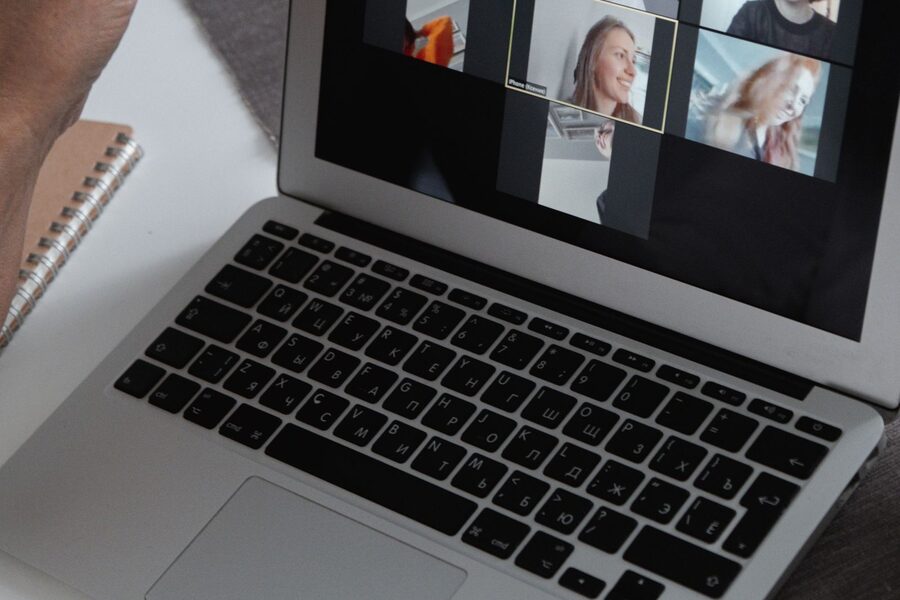
Here is how technology helps remote teams work better. Technology enables remote teams to operate more effectively by providing the tools that make it easier for employees to communicate, collaborate, manage their tasks, share information and stay connected from all corners of the world. Teams can communicate more efficiently and coordinate their work through video conferencing, IM, cloud storage, project management platforms and automation tools without having to be in the same office. The technologies minimize the communication gaps, enhance information access, facilitate flexible schedules, and assist the employees to stay productive. With the right tools and regular usage, technology can help make remote teamwork more organized, efficient, and reliable.
Many businesses operate remotely, and this has impacted their operations. Teams can now collaborate across continents, countries, and time zones. However, remote work is more than just giving staff the option to work from home. Reliable communication, file sharing, project management, problem solving, and connecting with team members are also key areas that teams require.
This is where technology comes into play.
How Technology Improves Remote Team Communication
One of the most difficult things to do in a remote team is communication. In an office, staff can easily ask a question or discuss a matter in a face-to-face meeting. This isn’t the case for remote employees. Information and communication technologies are necessary for maintaining connections.
Everyday communication is quicker through instant messaging. Quick updates, questions and task discussions can be done without having to arrange a meeting. You can also set up channels for specific projects, departments, or topics.
A video conference can be helpful if the discussion requires more personal interaction. Online team meetings, client conversations, interviews, training and presentations are all possible.
Technology also facilitates communication asynchronously. This is particularly useful when workers are on different time zones. Team members can leave written notes, make videos or share information about their projects for others to read later, rather than expecting to receive a response at the time.
Effective communication technology helps remote teams:
- Avoid sending or attending unnecessary emails and meetings.
- Share information quickly
- Keep conversations organized
- Support employees at various time zones.Help employees in other time zones.
- Enable easier tracking of important changes
- Improve working relationships among employees
Effective communication is not about non-stop communication. It involves ensuring that individuals have access to the correct information at the appropriate time.
Cloud Tools Make Collaboration Easier
Cloud technology has become a part of the remote work experience. Typical office systems have a reliance on files that reside on one particular computer or office server. This can cause difficulties in collaboration if the employees work in different locations.
Cloud-based tools address a lot of this issue. Documents, spreadsheets, presentations, databases and other resources can be accessed via the internet by employees. Depending on the platform, several people can work on the same document at the same time.
For instance a marketing team can develop a marketing campaign document online. A writer can put in the content, a designer can bring in the images, and a manager can look at it without having to have every version of every file.
Cloud storage also helps minimize document issues due to outdated documents. Typically team members may work from a central copy instead of having multiple copies on their personal computers.
The benefits include:
- Easier access to work files
- Real-time collaboration
- Automatic synchronization
- Simpler file sharing
- Better version control
- Reduced dependence on office hardware
Fewer power cords and cables.Less reliance on devices like paper, ink, and ink cartridges.
Project Management Technology Keeps Remote Work Organized
There is a need to have a clear understanding of who will be responsible for what when working remotely. Otherwise, projects can get confused.
Project management software can be a solution here, as it is able to organize the work in a single location. Managers can establish new tasks, assign tasks to other people, set deadlines, monitor progress and find out delays.
Boards, lists, calendars or timelines are typically utilized with many project management platforms. This visual format assists staff to know what to do and what action is taken.
For instance, a software development team could break a project down into planning, design, development, testing, and deployment phases. Employees can be able to be assigned to each task and a deadline can be set too. The team members can then view the work that they have done in relation to the entire project.
Especially helpful when you’re working remotely, as one employee can’t just walk over to ask another about the status of the project.
Project management technology can support teams to:
- Set clear responsibilities
- Track deadlines
- Prioritize important tasks
- Identify project delays
- Reduce duplicated work
- Improve accountability
- Provide managers with bigger picture of progress
The objective is NOT to monitor all hours an employee works. The aim is to clear up responsibilities and expectations.
Automation Reduces Repetitive Work
A lot of time is spent by remote teams on repetitive administrative tasks. They can be things like sending regular emails, updating records, generating reports, scheduling appointments, or transferring data between systems.
Many of these can be performed using automation technology without any constant human input.
For instance, if a customer fills out a form online, an automatic workflow can follow up with an email to let the customer know that the form has been received, add a customer record to a customer management system, and update the customer record with the applicable employee. All team members do not have to do every step in hand.
Internal teams can benefit from automation as well. Using a system for task management, an employee may be automatically informed when a task is assigned. A reporting system can produce a report on a weekly basis without having to have someone keep compiling the same information each week.
This allows staff members to dedicate more time to the tasks that call for them to use judgment, creativity, communication, and problem solving.
Automation has the potential to offer a number of benefits:
- Saves employee time
- Minimizes manual data entry
- Reduces the likelihood of common human mistakes
- Speeds up routine processes
- Develops more uniform processes
- Supports teams with higher value activities
But, automation needs to be done with caution. If a process is designed badly, it can cause problems to occur quicker when automated. First, let’s understand how a workflow works and then determine which aspects can be automated.
Technology Supports Productivity And Flexibility
Flexibility is a key benefit of remote working. Workers can arrange their daily schedule based on their work duties while maintaining productivity for the company.
This flexibility is possible with the help of technology.
Access of approved business systems from various sites. They can check out project updates, send back responses to key messages, join online meetings and work alongside colleagues from an office, without having to travel there.
Work tracking and productivity tools will also give teams insight into how the work is going. But these tools must be used responsibly by businesses. Too much checking can lower trust and cause an unwarranted strain.
The better way to do this is to think about what you want to achieve. Set clear goals, deadlines, and responsibilities for managers. The information can then be provided to the individual by technology to understand if those goals are being met.
Workers can also select the appropriate mode of communication for the job when working remotely, which enhances their productivity. A communication might be just a message to a simple question. If a discussion is complex, it’s best to do it on video call. If you need to give a detailed project update, it will be best as a shared document.
Digital communication will not overwhelm if the right technology is used in the right context.
Cybersecurity Is Essential For Remote Teams
Working from home presents new security challenges. Workers can log into business systems at home networks, personal devices, workplaces, or anywhere else.
Securing the data of a business can be accomplished with the help of technology, but security is also a matter of good business practice.
Businesses need to take necessary precautions like multi-factor authentication, access control, encryption, secure cloud platforms, and frequent software updates. The employees should be familiar with the basics of security risks including phishing emails, bad links, weak passwords, and unauthorized access.
Access should be on a job responsibility basis. Not all employees require access to all the company systems and files. Restricting permission can help minimize the risk of a compromised account.
Policies for remote devices should also be established for businesses. Staff should be aware of how company information should be looked after, shared and accessed when not in the office.
To protect, it helps to have strong security in the distance:
- Customer information
- Employee records
- Financial data
- Business documents
- Login credentials
- Intellectual property
Security should not be viewed as an afterthought from when a remote work system is already in place. It ought to be taken into consideration when businesses choose and adopt their technology.
For simple, trusted security habits, see CISA’s Secure Our World guidance. You may also like our guides on best technology practices for remote businesses, how collaboration tools improve team productivity and the future of remote work technology.
Final Thoughts
With technology, remote teams can collaborate, communicate, automate processes and share information, making their work more efficient. It enables employees to collaborate in spite of geographical boundaries.
Unfortunately, technology does not ensure a productive remote team. Clear processes, realistic expectations, fostering good communication and trust between managers and employees are also essential.
The best way to do it is to make technology simple and useful! The teams must select the tools that would help them to address real problems, rather than just picking up platforms due to the availability.
These tools, when employed alongside cloud collaboration, project management systems, automation and cyber security, enable people to remain connected and organized in spite of being separated from each other in a physical location. This enables companies to assemble flexible teams and keep the productivity and accountability.
Ultimately, the meaning of technology isn’t how many tools a company is using. It’s the effectiveness of those tools in enabling people to work together, share information and reach shared objectives. That is how technology helps remote teams work better.

David is the founder of devotionnest.com, a site dedicated to Bible Verses and clever wordplay. He loves turning language into laughter and making words wonderfully witty.



Leave a Reply